
Download the matching self-contained notebook · Read the notebook preview
What you will build
A smaller numeric representation saves space only when its storage implementation actually uses fewer bits. We will first round a few visible numbers, then train two LoRA factors around a fixed coded matrix.
This is a uniform-quantization CPU exercise. It stores codes in int8 and reconstructs a float matrix for calculation. It is not packed NF4, a specialized kernel, or a measured QLoRA memory-saving implementation.
By the end: Measure quantization error and train a correction around a frozen coded base.
- What you will build
- What you need before starting
- Understand the idea before the code
- A picture of this part's idea
- Create the lesson folder
- Complete code for this article
- Run it and compare the result
- Walk through what just happened
- Change one thing yourself
- If your result is different
- What you can now explain
What you need before starting
You need basic Python: variables, functions, dictionaries, loops, and imports. When this lesson introduces a class or a library-specific term, its role is explained below.
Use Python 3.12. These examples were executed on Windows with Python 3.12.4. Use the shown interpreter consistently when installing packages and running code. This is an original small CPU teaching experiment, not a downloaded general-purpose LLM.
You do not need to run an earlier article to make this part execute. The complete files and data used here are supplied below. The series order is for learning the ideas progressively.
Understand the idea before the code
A bit is a binary digit. Eight bits make one byte. A dtype is a tensor's numeric storage format, such as float32, float16, or int8. A floating-point number stores an approximation with finite precision; changing the storage format changes which values can be represented.
Quantization maps many possible values to a smaller set of numeric codes. Dequantization reconstructs an approximate numeric value from a code and supporting information. In our simple symmetric example, reconstruction is code * scale. Scale is the numeric step between codes, not the batch size or learning rate.
QLoRA adapts a quantized frozen base using trainable LoRA matrices. NF4, NormalFloat 4-bit, is a particular four-bit codebook designed for weight distributions; it is not the uniform -7 to 7 code range used in our CPU explanation. Double quantization compresses some quantization metadata too. A paged optimizer is a memory-management approach for optimizer state. Our miniature exercise does not implement those production mechanisms.
An activation in the memory discussion is an intermediate tensor produced during a forward pass. Optimizer state is extra information maintained to choose updates, such as Adam's running statistics. Counting only stored base weights leaves both of these out.
A picture of this part's idea
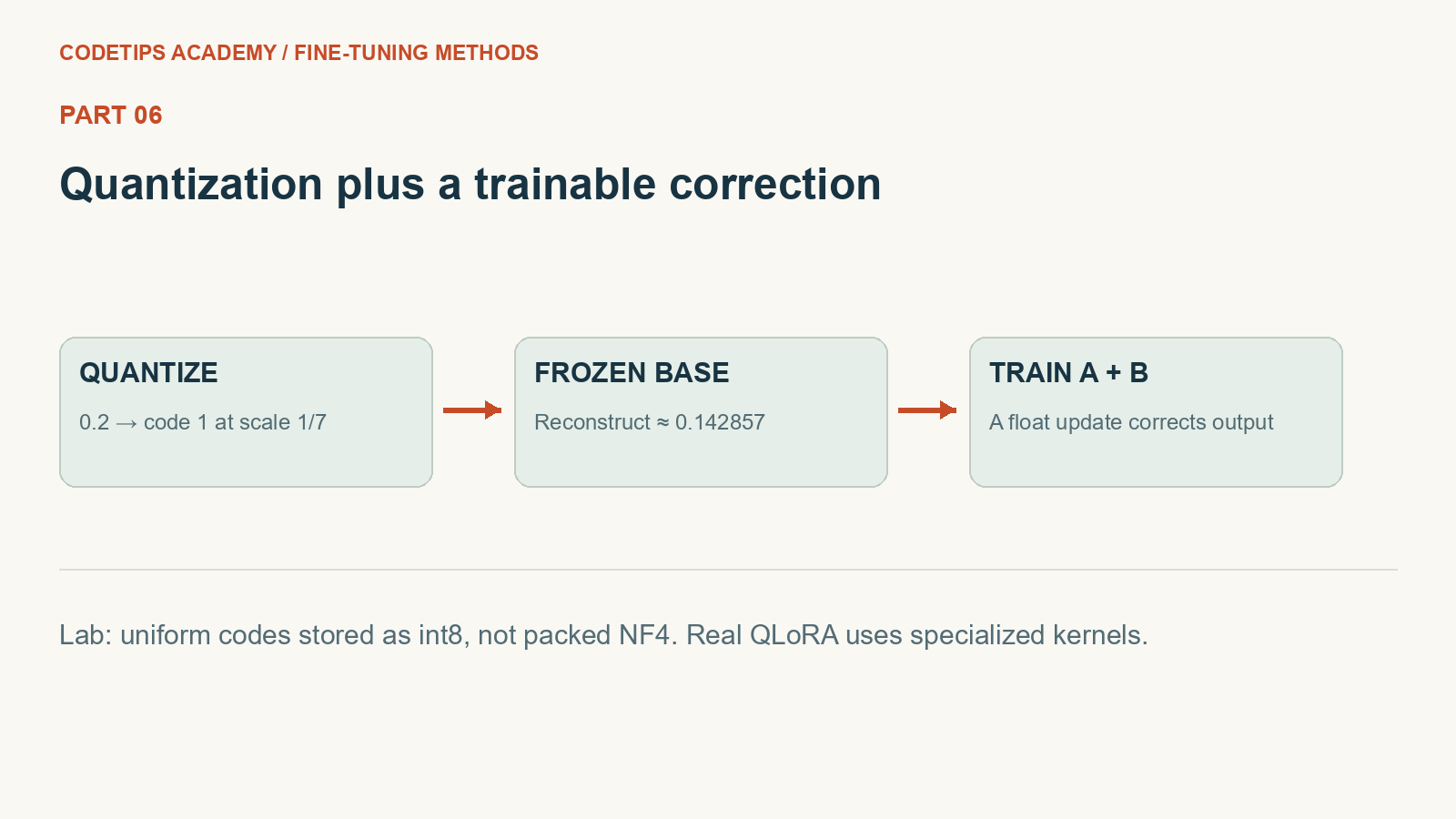
This picture introduces the mechanism. The numbers and assertions in the program below are the actual experiment.
Create the lesson folder
Create this folder and keep the filenames exactly as shown. In particular, a local module is an ordinary file beside the program, not an extra package you must guess how to install.
lesson-folder/
  lesson.py
  requirements.txt
Save requirements.txt
These are the external Python packages for this lesson. The local files above are included in the article; they are not pip packages.
torch==2.2.2
numpy==1.26.4
matplotlib==3.9.1
python -m venv .venv
.venv\Scripts\python.exe -m pip install -r requirements.txt
On Linux/macOS, use python3 -m venv .venv and .venv/bin/python -m pip install -r requirements.txt. Installation requires internet access. The default examples do not call a paid API.
Complete code for this article
Save this complete file as lesson.py
This is the complete program, including imports, data, function definitions, and the entry point.
import torch
from torch import nn
from torch.nn import functional as F


def seed(value=42):
    torch.manual_seed(value)
    torch.set_num_threads(1)


def quantize4(weight):
    """Symmetric toy quantization: codes occupy int8, NOT packed 4-bit memory."""
    scale = weight.detach().abs().max().clamp_min(1e-08) / 7
    codes = torch.clamp(torch.round(weight.detach() / scale), -7, 7).to(torch.int8)
    return (codes, scale)


class QuantizedLoRA(nn.Module):
    def __init__(self, weight, rank=2):
        super().__init__()
        codes, scale = quantize4(weight)
        self.register_buffer("codes", codes)
        self.register_buffer("scale", scale)
        self.A = nn.Parameter(torch.randn(rank, weight.shape[1]) * 0.02)
        self.B = nn.Parameter(torch.zeros(weight.shape[0], rank))

    def forward(self, x):
        frozen = self.codes.float() * self.scale
        return F.linear(x, frozen) + x @ self.A.T @ self.B.T


def main():
    import torch

    seed()
    weight = torch.tensor([[-1.0, 0.2, 1.0]])
    codes, scale = quantize4(weight)
    restored = codes.float() * scale
    print("codes:", codes, "scale:", float(scale), "restored:", restored)
    print("max absolute error:", float((weight - restored).abs().max()))
    assert codes.min() >= -7 and codes.max() <= 7
    seed()
    base = torch.randn(4, 6)
    x = torch.randn(64, 6)
    target = x @ (base + 0.05 * torch.ones_like(base)).T
    model = QuantizedLoRA(base, rank=2)
    before = model.codes.clone()
    optimizer = torch.optim.Adam(model.parameters(), lr=0.03)
    losses = []
    for _ in range(160):
        loss = (model(x) - target).square().mean()
        optimizer.zero_grad()
        loss.backward()
        optimizer.step()
        losses.append(float(loss.detach()))
    assert torch.equal(before, model.codes)
    assert losses[-1] < losses[0]
    print("MSE:", round(losses[0], 5), "->", round(losses[-1], 5))


if __name__ == "__main__":
    main()
Run it and compare the result
Run commands from the lesson folder. In the commands below, python means the environment you installed into. On Windows, substitute .venv\Scripts\python.exe; on Linux/macOS substitute .venv/bin/python. Do not create the environment with one interpreter and run the lesson with another.
Run 1: python lesson.py
python lesson.py
Captured standard output:
codes: tensor([[-7,  1,  7]], dtype=torch.int8) scale: 0.1428571492433548 restored: tensor([[-1.0000,  0.1429,  1.0000]])
max absolute error: 0.05714285373687744
MSE: 0.06253 -> 0.01504
The displayed output was captured from the supplied default program in a separate folder, with no project-level module on its import path. It is a reproducible demonstration on these examples, not a claim about arbitrary inputs.
Walk through what just happened
1. Create a scale and codes
quantize4 divides by one scale, rounds, and clamps to codes from -7 to 7. The reconstructed 0.2 becomes about 0.142857 in the printed example.
2. Store frozen values as buffers
QuantizedLoRA registers codes and scale as buffers. They are saved model values, but the optimizer updates only the floating A and B parameters.
3. Fit a known numeric target
The regression target is a base matrix plus a small synthetic correction. Mean squared error measures how closely the new output fits those numbers.
4. Check the limits
The final assertions check that codes stayed identical and that MSE fell. They do not imply that a real language model preserved its accuracy or reached a particular VRAM budget.
Change one thing yourself
Add a large outlier weight and observe how a single shared scale affects the reconstruction of small values.
If your result is different
Values occupying a four-bit code range do not automatically occupy four bits in memory when stored in an int8 tensor.
Check the complete imports and filenames first. Then compare your input and command with the shown run. Numeric results may differ slightly between platforms; the program's assertions check the intended relationships rather than relying on a decorative screenshot.
What you can now explain
Measure quantization error and train a correction around a frozen coded base. Next we will build on this result in Part 7.
Technical reference: PyTorch learning basics. This project and its wording are original CodeTips Academy material.


