
Download the matching self-contained notebook · Read the notebook preview
What you will build
Our Workshop Assistant will route short questions into Python, Linux, or IoT categories. We must define the examples and how we judge predictions before choosing an adaptation method. Otherwise it is easy to optimize a score that does not measure the job we actually want.
The full program creates 54 synthetic records. Related paraphrases stay in one split. We compare a majority-label baseline with a training-keyword rule, and we explain why this tiny dataset is a teaching tool rather than production evidence.
By the end: Create grouped data splits and calculate a simple baseline.
- What you will build
- What you need before starting
- Understand the idea before the code
- A picture of this part's idea
- Create the lesson folder
- Complete code for this article
- Run it and compare the result
- Walk through what just happened
- Change one thing yourself
- If your result is different
- What you can now explain
What you need before starting
You need basic Python: variables, functions, dictionaries, loops, and imports. When this lesson introduces a class or a library-specific term, its role is explained below.
Use Python 3.12. These examples were executed on Windows with Python 3.12.4. Use the shown interpreter consistently when installing packages and running code. This is an original small CPU teaching experiment, not a downloaded general-purpose LLM.
You do not need to run an earlier article to make this part execute. The complete files and data used here are supplied below. The series order is for learning the ideas progressively.
Understand the idea before the code
A dataset is a collection of examples. One record is one example, stored as a Python dictionary here. Its text is the question, and its label is the correct category supplied by us. Classification means choosing a category; it does not generate an explanation of the technical problem.
A split is a subset of the examples assigned a role. Training examples update weights. Validation examples help choose settings. Test examples judge the final choice. A group keeps related examples together, so nearly identical versions do not land on both sides of that boundary.
Leakage means information that should be unavailable during training or model selection slips into that process. If “help with gpio” is in training and “explain gpio” is treated as an independent test of unseen topic knowledge, the reported interpretation is misleading. Our group split and disclosed source corpus make the actual experiment clearer.
A baseline is a simple reference to beat, such as always choosing the most common class. Accuracy is correct predictions divided by all predictions. With 3 correct out of 9, it is 3/9, about 33.3%. A baseline score is not a measure of how much a neural network has learned.
A picture of this part's idea
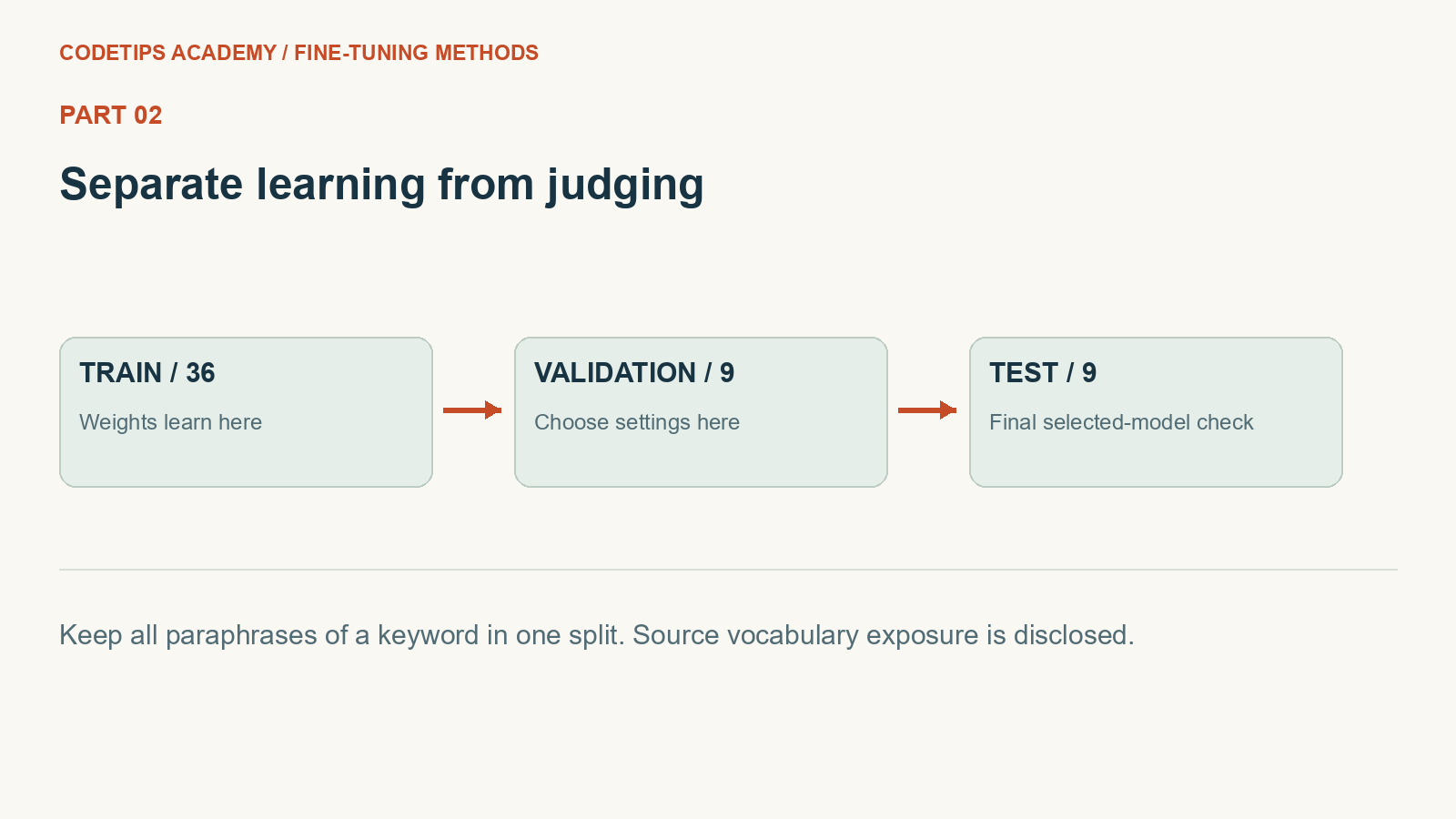
This picture introduces the mechanism. The numbers and assertions in the program below are the actual experiment.
Create the lesson folder
Create this folder and keep the filenames exactly as shown. In particular, a local module is an ordinary file beside the program, not an extra package you must guess how to install.
lesson-folder/
  lesson.py
  requirements.txt
Save requirements.txt
These are the external Python packages for this lesson. The local files above are included in the article; they are not pip packages.
torch==2.2.2
numpy==1.26.4
matplotlib==3.9.1
python -m venv .venv
.venv\Scripts\python.exe -m pip install -r requirements.txt
On Linux/macOS, use python3 -m venv .venv and .venv/bin/python -m pip install -r requirements.txt. Installation requires internet access. The default examples do not call a paid API.
Complete code for this article
Save this complete file as lesson.py
This is the complete program, including imports, data, function definitions, and the entry point.
import re

GROUPS = [
    ("python", ["python", "list", "dictionary", "function", "script", "package"]),
    ("linux", ["linux", "shell", "permission", "service", "process", "terminal"]),
    ("iot", ["esp32", "camera", "sensor", "gpio", "wifi", "raspberry"]),
]


def records():
    """One group per topic keyword; all paraphrases stay in the same split."""
    rows = []
    for label, words in GROUPS:
        for i, word in enumerate(words):
            split = "train" if i < 4 else "validation" if i == 4 else "test"
            for template in ["help with {}", "please explain {}", "debug my {}"]:
                rows.append(
                    dict(
                        text=template.format(word),
                        label=label,
                        group=f"{label}-{word}",
                        split=split,
                    )
                )
    return rows


def tokens(text):
    return re.findall("[a-z0-9]+", text.lower())


def main():
    rows = records()
    sets = {
        split: [r for r in rows if r["split"] == split]
        for split in ["train", "validation", "test"]
    }
    groups = {split: {r["group"] for r in data} for split, data in sets.items()}
    assert groups["train"].isdisjoint(groups["validation"])
    assert groups["train"].isdisjoint(groups["test"])
    assert groups["validation"].isdisjoint(groups["test"])
    print({key: len(value) for key, value in sets.items()})
    print(sets["train"][0])
    from collections import Counter

    majority = Counter((r["label"] for r in sets["train"])).most_common(1)[0][0]
    score = sum((r["label"] == majority for r in sets["validation"])) / len(
        sets["validation"]
    )
    print("majority validation accuracy:", round(score, 3))
    train_keywords = {word: label for label, words in GROUPS for word in words[:4]}

    def rule(text):
        return next(
            (train_keywords[w] for w in tokens(text) if w in train_keywords), majority
        )

    print(
        "rule validation accuracy:",
        sum((rule(r["text"]) == r["label"] for r in sets["validation"])) / 9,
    )
    assert abs(score - 1 / 3) < 1e-08


if __name__ == "__main__":
    main()
Run it and compare the result
Run commands from the lesson folder. In the commands below, python means the environment you installed into. On Windows, substitute .venv\Scripts\python.exe; on Linux/macOS substitute .venv/bin/python. Do not create the environment with one interpreter and run the lesson with another.
Run 1: python lesson.py
python lesson.py
Captured standard output:
{'train': 36, 'validation': 9, 'test': 9}
{'text': 'help with python', 'label': 'python', 'group': 'python-python', 'split': 'train'}
majority validation accuracy: 0.333
rule validation accuracy: 0.3333333333333333
The displayed output was captured from the supplied default program in a separate folder, with no project-level module on its import path. It is a reproducible demonstration on these examples, not a claim about arbitrary inputs.
Walk through what just happened
1. Read a record
Each dictionary stores text, label, group, and split. The group binds paraphrases of one keyword together.
2. Check the boundaries
The set-disjointness assertions verify that no keyword group occurs in both training and held-out subsets.
3. Calculate a baseline
Always choosing the most common training class gives about one-third accuracy on this balanced validation set. That is the reference a learned system must justify replacing.
4. Inspect the rule’s limit
The keyword rule learns its allowed words from training only. It cannot recognize the held-out keywords merely because those labels seem obvious to a person.
Change one thing yourself
Write five ambiguous mixed Python/IoT questions and a consistent routing policy for them before adding more labels.
If your result is different
Changing a label list alone is not enough to add a class later: the model head, examples, metrics, and saved label mapping must agree.
Check the complete imports and filenames first. Then compare your input and command with the shown run. Numeric results may differ slightly between platforms; the program's assertions check the intended relationships rather than relying on a decorative screenshot.
What you can now explain
Create grouped data splits and calculate a simple baseline. Next we will build on this result in Part 3.
Technical reference: PyTorch learning basics. This project and its wording are original CodeTips Academy material.


